Affiliated Artists
Affiliated Artists
Affiliated Artists is the home for every artist connected to your organization on Artsume — through CV claims, mentions, follows, or applications. It used to be called "Network." Same idea, clearer name.
The page at a glance
Open the Affiliated Artists tab from your organization dashboard.
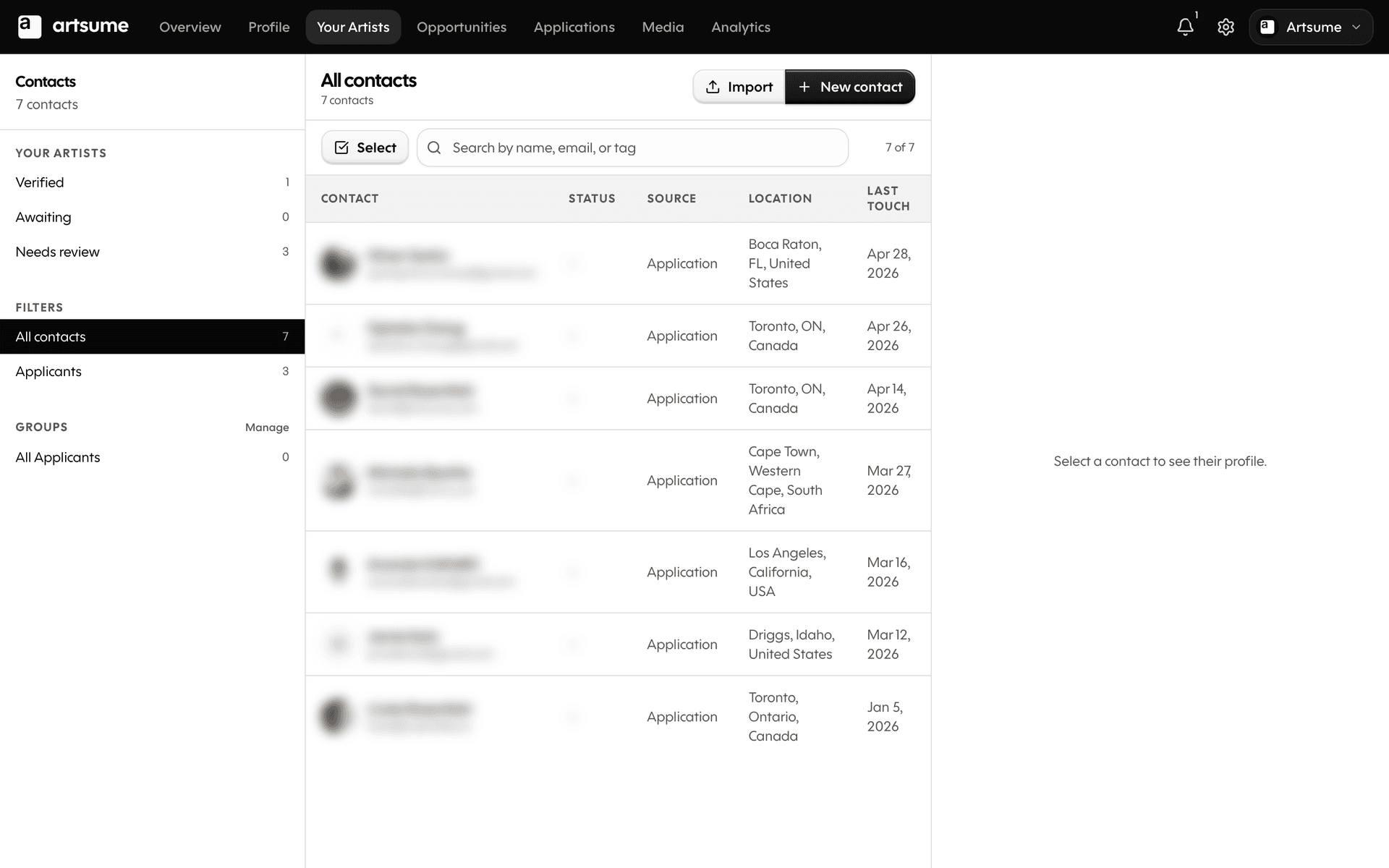
On the left rail:
- Verified — artists whose claims you've confirmed
- Awaiting — artists who claimed a CV entry that links to your org, waiting on your review
- Needs review — disputed or flagged associations that need a decision
On the right:
- A list of contacts in the current bucket
- Search by name, email, or tag
- Filters for refining the list further
- Groups for organizing artists into your own categories
The lifecycle of an association
Every artist-to-organization connection has a state. The four states are:
Verified — You've confirmed the artist is connected to your organization. They show up in your verified list, and the connection shows publicly on both sides.
Awaiting — Artist claims a CV entry that links to your org (an exhibition, a residency, a grant). The claim sits in Awaiting until you confirm or dispute.
Disputed — You've explicitly disputed the artist's claim. The connection is hidden publicly and the artist is notified.
Dismissed — You've decided this claim doesn't need a public verification (a one-off interaction, no longer relevant, etc.). The claim disappears from your queue without notifying the artist.
Verify, Dispute, or Dismiss in bulk
Verifying claims one at a time gets slow once you have a dozen of them. Use multi-select instead.
- Tap the Select button above the contacts table to enter multi-select mode
- Tick the checkboxes for the artists you want to act on
- A Bulk Actions bar appears at the bottom of the screen
- Choose Verify, Dispute, or Dismiss
- Confirm
The page refreshes once, so you don't see a stutter between rows updating. The action lands in the activity log on each artist's profile.
Per-artist detail
Click any artist in the table to open their detail view in the right rail. The rail is wider than usual (33% of the screen) so you can read CV entries, mentions, and notes without squinting.
From the rail you can:
- Verify, dispute, or dismiss the individual claim
- View their CV in context
- See every interaction they've had with your organization (applications, mentions, follows)
- Add internal notes
What artists see
Verified affiliations show up publicly on the artist's profile under their CV — the entry gets a small verified badge. Disputed or dismissed claims are hidden; only the artist can still see them on their side.
When you verify or dispute, the artist gets a notification (configurable in their notification settings).
When to dismiss vs. dispute
Dispute when you actively disagree with the claim ("this artist didn't exhibit with us"). The artist hears about it.
Dismiss when you just don't want to deal with it ("we had a one-day workshop with them 8 years ago"). The artist doesn't hear about it.
Frequently Asked Questions
What's next
- Reviewing Applications: How to score and decide on applications
- Team Collaboration: Set up reviewers, roles, and assignments
- Creating Opportunities: Post grants, residencies, exhibitions
Topics
Related Tutorials
Best Practices
Best practices for artists and organizations on Artsume: profile optimization, portfolio presentation, application strategies, and review processes.
Creating Your Profile
Build your Artsume artist profile: handle, disciplines, statement, visibility, and images. Step-by-step setup guide.
Customization
Customize your Artsume experience: profile settings, organization branding, form templates, and email preferences.