Artist Portfolio Best Practices: How to Present Work
Build a portfolio that gets accepted. Image quality, curation, sequencing, and presentation standards for grant panels, residency juries, and galleries.
 Art handler carefully wrapping artwork for professional portfolio presentation
Your portfolio is often the first impression you make on curators, gallerists, grant panels, and residency committees. Sometimes it is the only one. A strong portfolio presents the work clearly and makes your direction legible to someone seeing it cold.
What follows covers image quality, curation, and where your portfolio lives online.
Quick Answer
- Quality over quantity: 15-20 excellent pieces beat 40 mediocre ones
- Professional documentation is non-negotiable: proper lighting, clean backgrounds, accurate colors
- Curate for coherence. Reviewers should be able to describe your practice after one pass
- Keep two versions: a complete master archive, and a curated selection you actually send
- Add new work to your Artsume portfolio as you finish it, so a deadline never catches you mid-scramble
Portfolio Image Specifications
| Use Case | Resolution | Format | File Size |
|---|---|---|---|
| Web/Applications | 1920px long edge | JPEG/PNG | 1-3 MB |
| Print Catalogs | 300 DPI, 3000px+ | TIFF/PNG | 10-50 MB |
| Social Media | 1080-2048px | JPEG | Under 1 MB |
| Archive/Master | Maximum resolution | RAW/TIFF | 50+ MB |
| Grant Applications | Per requirements | JPEG/PDF | Usually under 5 MB |
Why Portfolio Quality Matters
Grant panels, residency committees, and gallery directors review hundreds of portfolios in a sitting, and they make initial judgments within the first few images. Poor documentation can eliminate strong work before it ever gets a fair look.
There is a harder truth underneath that. For most reviewers, your portfolio is your work. They will never stand in front of the physical pieces, so the documentation is the art as far as they are concerned. When two artists are otherwise comparable, the one with clearer images wins, and the quality of the files also says something about how seriously you take the practice.
Documenting Your Work
The Case for Professional Documentation
If budget allows, hire a professional art photographer. The difference between amateur and professional documentation is immediately apparent:
Professional documentation provides:
- Accurate color reproduction
- Proper lighting that reveals texture and detail
- Clean, distraction-free backgrounds
- Correct perspective and minimal distortion
- Consistent quality across all pieces
The cost: $50-200 per piece, or $500-2000 for a full portfolio session
The return: Dramatically improved acceptance rates, more professional presentation, images you can use for years
DIY Documentation Guidelines
If professional photography isn't possible, you can achieve good results with care. The full artwork photography guide goes deeper on technique; what follows is the working minimum.
Equipment Needed:
- Camera capable of manual settings (or a recent smartphone in good lighting)
- Tripod or stable surface
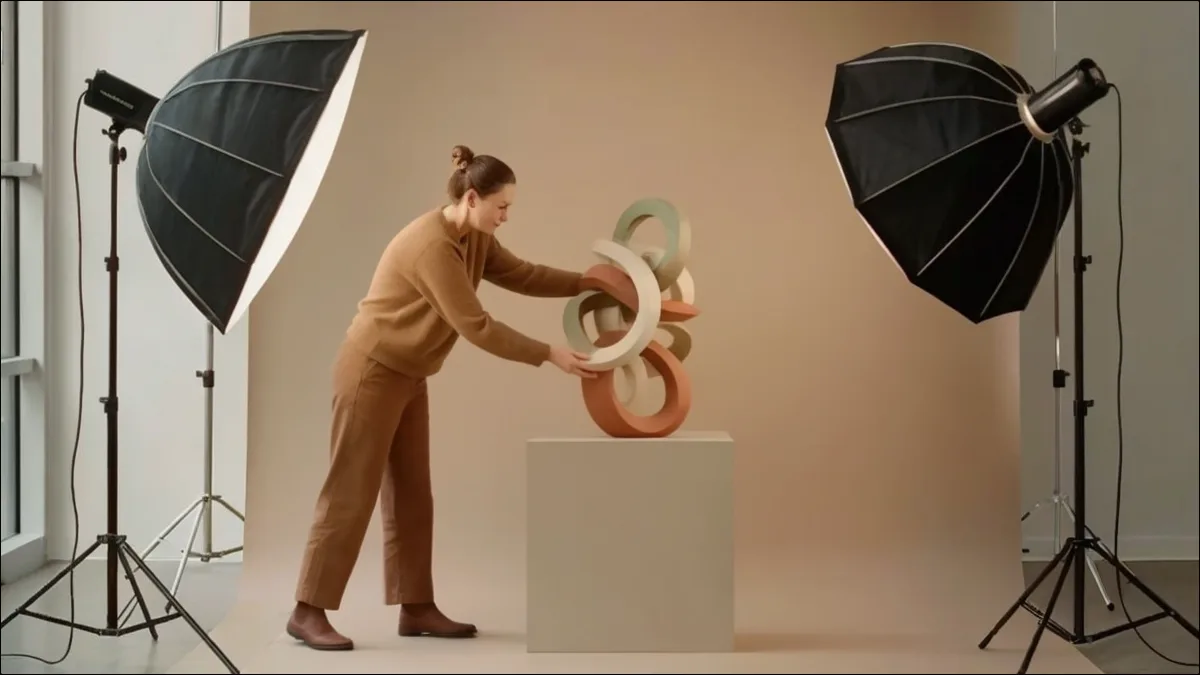
- Two matching light sources (daylight bulbs or LED panels)
- White or gray backdrop (seamless paper or clean wall)
- Color reference card (optional but helpful)
Lighting Setup:
- Position two lights at 45-degree angles to the work
- Match the color temperature of both lights
- Avoid direct flash (creates glare and flat images)
- Eliminate shadows on the work and background
- Natural light works but requires overcast days or north-facing windows
Camera Settings:
- ISO: As low as possible (100-400) to minimize noise
- Aperture: f/8 to f/11 for sharpness across the image
- White balance: Match to your lighting (daylight, tungsten, or custom)
- Shoot RAW if possible for more editing flexibility
Set the camera perpendicular to the work so nothing distorts, fill 80-90% of the frame, leave small margins for cropping, and use a level to align camera and work. Afterwards, correct white balance, adjust levels for accurate tones, crop to consistent margins, resize, and export as high-quality JPEG.
Image Specifications for Applications
Most applications specify technical requirements. Common standards:
| Specification | Typical Requirement |
|---|---|
| File format | JPEG (.jpg) |
| Dimensions | 1920px on longest side |
| Resolution | 72 dpi (for screen) |
| File size | Under 5MB |
| Color space | sRGB |
| Naming | LastName_FirstName_01.jpg |
Always Check Requirements
Every application may have different specifications. Follow them exactly. Incorrect file formats or sizes can disqualify your application before anyone sees your work.
Documenting Different Types of Work
2D Work (Painting, Drawing, Printmaking):
- Photograph flat, perpendicular to the work
- Even lighting to eliminate hot spots
- Include the edges to show scale and materiality
- Consider detail shots for texture-heavy work
3D Work (Sculpture, Ceramics, Fiber):
- Multiple angles: front, side, three-quarter views
- Show scale with context or human presence
- Capture important details and textures
- Consider the background carefully (neutral or contextual)
Installation Work:
- Wide shots showing full installation
- Multiple angles and viewpoints
- Detail shots of components
- Include viewers when possible (with permission) to show scale and interaction
Time-Based Work (Video, Performance):
- Video documentation of full work (or representative excerpt)
- High-quality still frames for image-based applications
- Installation views showing presentation context
- Consider creating a dedicated video reel
Digital and New Media:
- Screen captures at appropriate resolution
- Video documentation of interactive elements
- Installation documentation when applicable
- Consider animated GIFs for simple interactions
Curating Your Portfolio
Documentation quality gets you considered. Curation gets you remembered. How you select and arrange work shapes how reviewers understand your practice, which is why the sequencing and organization guide is worth reading alongside this one.
The Master Archive vs. Application Portfolio
Maintain two levels of portfolio:
Master Archive (Everything):
- Complete documentation of all significant work
- Organized by year, series, or project
- Includes work in progress and experiments
- Your complete visual record
Application Portfolio (Curated Selection):
- 15-25 of your strongest, most representative pieces
- Coherent body of work that tells a story
- Updated regularly as new work is completed
- Starting point for specific applications
Selection Criteria
Four questions decide whether a piece stays in. Is this among my strongest work? The bar is genuinely excellent, and when in doubt you leave it out. Does it represent my current practice, or where I was three years ago? Does it contribute something the other pieces don't, whether that's a new idea, a material, or a dimension of the practice? And could I talk about it for ten minutes if a panel asked? If you get selected, you may have to.
Creating Coherence
A strong portfolio feels unified even while showing range. Consistent documentation does more of that work than artists expect: same lighting setup, same background treatment, same image quality throughout. Beyond that, look for the through-line connecting the pieces, whether it is conceptual, material, or visual, then order the images so that thread is visible. Include enough variation to show depth without scattering.
Sequencing Your Images
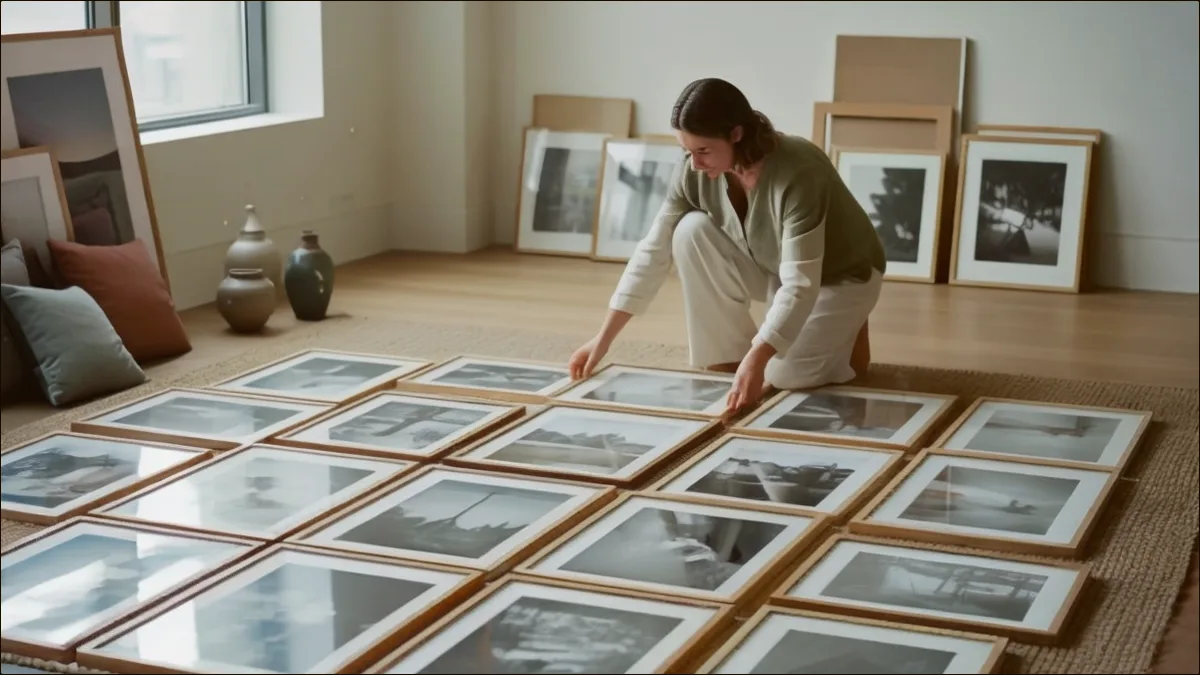
Order shapes the viewing experience. Open with your strongest, most engaging piece. Use the next few images to establish what your practice is fundamentally about, let the middle explore range and development, and close on something memorable.
While you're sequencing, alternate scales and mediums to create rhythm, watch the color relationships between adjacent images, and decide whether related works read better grouped or distributed. Then test the whole thing as a fast slideshow, which is roughly how a panel will see it.
Portfolio Size Guidelines
For applications: Follow specified limits (usually 10-20 images)
For websites: 20-40 images in main portfolio, with additional project pages
For physical portfolios: 15-25 pieces that can be viewed in 5-10 minutes
General principle: Show enough to demonstrate depth, not so much that you dilute impact
Building Your Online Presence
Your online portfolio is often the first thing anyone finds when they search your name. If you are starting from nothing, the artist portfolio website guide walks through platform choice and setup in detail.
Portfolio Platforms
Dedicated Artist Websites:
- Squarespace - Clean templates, good for visual artists
- Cargo - Design-forward, popular with artists
- Format - Built for creative portfolios
- Wix - Flexible, many free options
Artist Profile Platforms:
- Artsume - Portfolio + CV + application management
- Artwork Archive - Inventory management with public profiles
- Artsy - Gallery representation required
Social Platforms:
- Instagram - Wide reach, community building
- Behance - Design-focused, Adobe integration
Website Best Practices
Essential Pages:
- Portfolio/Work (with clear project categories)
- About/Artist Statement
- CV
- Contact
Design Principles:
- Clean, minimal design that doesn't compete with work
- Easy navigation and clear structure
- Fast loading (optimize images for web)
- Mobile-responsive layout
- Clear contact information
Technical Considerations:
- Custom domain (yourname.com, not yourname.squarespace.com)
- SSL certificate (https://)
- Regular backups
- Analytics to understand visitors
Image Optimization for Web
Balance quality and load time:
For portfolio grids: 800-1200px, compressed to 100-200KB For full-screen viewing: 1920px, compressed to 300-500KB For downloads/applications: Full resolution, clearly marked
Use tools like Squoosh or TinyPNG to compress without visible quality loss.
Social Media Strategy
Instagram for Artists:
- Consistent posting schedule (2-5 times per week)
- Mix of finished work, process, and studio life
- Strategic hashtags for discovery
- Engage with community (comments, follows, shares)
- Stories for behind-the-scenes and time-sensitive content
Share new work and current projects, process and studio shots, exhibition documentation, and the research and influences behind the work. Skip the oversharing of personal life unrelated to the practice, the constant self-promotion with no community engagement, the low-quality images that undercut everything else you post, and anything controversial enough to cost you an opportunity. Platform-by-platform strategy is its own subject.
Portfolio Formats
Different contexts require different formats, and the digital versus physical comparison covers when each one earns its keep.
Digital Portfolio
For Applications:
- Follow exact specifications (format, size, naming)
- Include image list with title, date, medium, dimensions
- Order according to instructions or strategically
- Test by viewing on different devices
For Websites:
- Categorize by project, series, or year
- Include titles, dates, and media
- Provide zoom or detail view options
- Include installation views where relevant
Physical Portfolio
For in-person presentations:
Portfolio Book:
- 11x14 or larger format
- Archival prints (inkjet or C-print)
- Consistent matting or presentation
- 15-25 pieces maximum
- Include CV and artist statement
Presentation Folder:
- Letter or tabloid size prints
- Clear sleeves for protection
- Easy to reorganize
- Include business card and materials
Video Portfolio/Reel
For time-based or performance work:
- 3-5 minutes maximum
- Clear titles and dates
- High-quality video and audio
- Representative excerpts, not full pieces
- Platform: Vimeo (preferred) or YouTube (private/unlisted)
Portfolio for Specific Contexts
Gallery Submissions
Galleries want a cohesive body of recent work, typically from the last two or three years, documented professionally enough that they can judge it. They are looking for evidence of a productive practice and a clear artistic vision, not a survey of everything you have ever made.
A gallery package usually runs 10-20 images plus an artist statement, a CV tailored to relevant experience, and a cover letter if you aren't using an online submission form. The gallery-specific portfolio guide covers what dealers weight, and the guide to approaching galleries covers how to make contact without burning the relationship.
Grant Applications
What grant panels prioritize:
- Quality and ambition of work
- Clear artistic vision
- Alignment with grant purpose
- Evidence of commitment and productivity
- Potential for growth
Documentation often includes:
- 10-15 images (strictly follow limits)
- Work sample narrative
- Project description
- Budget and timeline
- Support materials
Panels read differently from dealers; preparing application-ready materials for grants breaks down the review process itself.
Residency Applications
Residencies are assessing fit as much as quality. They want a coherent body of work, a clear direction, evidence that you will use the time productively, and some sign that you understand what their program actually is. Show work relevant to the project you're proposing, include enough range to represent the practice, and emphasize recent work over your greatest hits.
For detailed residency guidance, see the residency application guide.
Academic Applications
For MFA Programs:
- Show potential and trajectory; polish counts for less at this stage
- Demonstrate conceptual engagement
- Include work that invites discussion
- Consider including process or experimental work
For Teaching Positions:
- Emphasize exhibition history and professional achievement
- Include range demonstrating teaching breadth
- Add syllabus examples and teaching statement
- Document student work if relevant
Maintaining Your Portfolio
Regular Updates
After completing work:
- Document within 2 weeks while context is fresh
- Add to master archive
- Evaluate for inclusion in application portfolio
Quarterly review:
- Assess what's working and what isn't
- Update selections based on new work
- Refresh website with current pieces
Annual review:
- Major portfolio curation and sequencing
- Update all supporting materials
- Archive older work appropriately
- Set goals for the coming year
Organization Systems
File Naming:
LastName_Title_Year_Number.jpg
Example: Smith_Untitled_2024_01.jpg
Folder Structure:
Portfolio/
├── Master Archive/
│   ├── 2024/
│   ├── 2023/
│   └── Earlier/
├── Application Portfolio/
│   ├── High Resolution/
│   └── Web Optimized/
├── Application-Specific/
│   ├── Grant_Name_2024/
│   └── Residency_Name_2024/
└── Supporting Materials/
    ├── CV/
    ├── Statements/
    └── Press/
Image List Template: Maintain a spreadsheet with: Title, Date, Medium, Dimensions, Location/Collection, Image filename
Using Artsume for Portfolio Management
Artsume's portfolio builder replaces most of that folder structure. Work you upload once can go into any application, your entries build a CAA-formatted CV automatically, and the application tracker records which pieces you sent where so you are not guessing six months later. Your public profile is a single link you can hand to anyone who asks for a portfolio. The step-by-step setup walkthrough covers uploads, ordering, and what reviewers see. Free for artists: No subscription fees or per-application charges.
Common Portfolio Mistakes
Documentation Errors
- Inconsistent lighting: Different color temperatures or shadows across images
- Visible backgrounds: Distracting elements, dirty walls, or inconsistent backdrops
- Poor color accuracy: Work that looks different from reality
- Low resolution: Images that can't be viewed at reasonable size
- Excessive editing: Over-saturated, over-sharpened, or otherwise manipulated
Curation Errors
- Including everything: Diluting strong work with weak pieces
- Showing only old work: Portfolio doesn't represent current practice
- Incoherent selection: No clear through-line connecting pieces
- Wrong audience: Portfolio not tailored to the specific opportunity
- Poor sequencing: Strong work buried in middle, weak openings or closings
Presentation Errors
The avoidable ones: wrong file format or size, missing titles and dates, website images that don't load, a CV or statement that contradicts what the portfolio shows, and a template so busy it competes with the work.
Frequently Asked Questions
How many pieces should be in my portfolio?
For applications, follow specified limits (usually 10-20 images). For websites, 20-40 pieces in your main portfolio with additional project pages as needed. Quality matters more than quantity - 15 excellent pieces beat 30 mediocre ones.
Should I include old work in my portfolio?
Generally, focus on work from the last 2-3 years that represents your current practice. Earlier work can be included if it remains central to your practice or provides important context. If you've significantly evolved, older work may confuse reviewers about your current direction.
Do I need professional photography for my portfolio?
Professional documentation dramatically improves your portfolio's impact and is worth the investment when possible. However, careful DIY documentation with proper lighting and settings can achieve good results. Bad documentation will hurt strong work; good documentation helps all work.
How often should I update my portfolio?
Document new work within two weeks of completion. Review and update your curated portfolio quarterly. Do a major review annually. Having an always-current portfolio means you're ready for unexpected opportunities without rushing.
Should I have different portfolios for different opportunities?
Yes. Maintain a master archive and a general application portfolio, then create tailored selections for specific opportunities. A gallery submission might emphasize different work than a residency application. Tailor to your audience while maintaining authenticity.
What if my work doesn't photograph well?
Some work is inherently difficult to document: large installations, immersive environments, or highly textural pieces. Include multiple views, detail shots, and installation documentation. Video can help for spatial or time-based work. Consider whether the work needs to be experienced in person and document accordingly.
How do I show range without losing coherence?
Connect disparate work through visual or conceptual threads. Your artist statement should articulate what unifies your practice. Sequence work to create dialogue between pieces. Range within coherence demonstrates depth; scattered work suggests unfocused practice.
Should I include work in progress or experiments?
For most applications, focus on resolved work. MFA applications and some residencies may appreciate seeing process and experimentation. When including work in progress, label it clearly and include it purposefully. Don't let unfinished work dilute your portfolio's impact.
What's the best platform for my online portfolio?
For dedicated artist websites, Squarespace, Cargo, and Format are popular choices. For integrated portfolio + CV + applications, Artsume provides everything in one platform. Choose based on your needs: pure portfolio display, application management, or both.
How important is my Instagram presence?
Instagram can build community and visibility but isn't essential for every artist. A professional website matters more for applications. If you use Instagram, maintain quality standards. Poor images on social media can undermine your professional portfolio.
Conclusion
Your portfolio is your primary professional asset. Document it well, cut it hard, and keep it current. Reviewers notice when a portfolio has been cared for; it reads as a signal about how you treat the work itself.
Start by auditing your current documentation and flagging the pieces that need better images, then look at your selection with fresh eyes and cut whatever you are keeping out of sentiment. Make sure your online presence matches the quality of the files you send out, and put a system in place so updating happens automatically rather than under deadline pressure. When the portfolio is ready, browse open programs and start sending it somewhere.
Ready to build your professional portfolio? Create your free Artsume profile to manage your portfolio, generate your CV, and apply to opportunities in one place.
Build your portfolio
Show your work in a free, professional online artist portfolio.