Free Artist Website Alternative: Why Artists Use Artsume
Get a professional artist presence free with Artsume. Portfolio hosting, a CV generator, and program applications in one place, with no site to maintain.
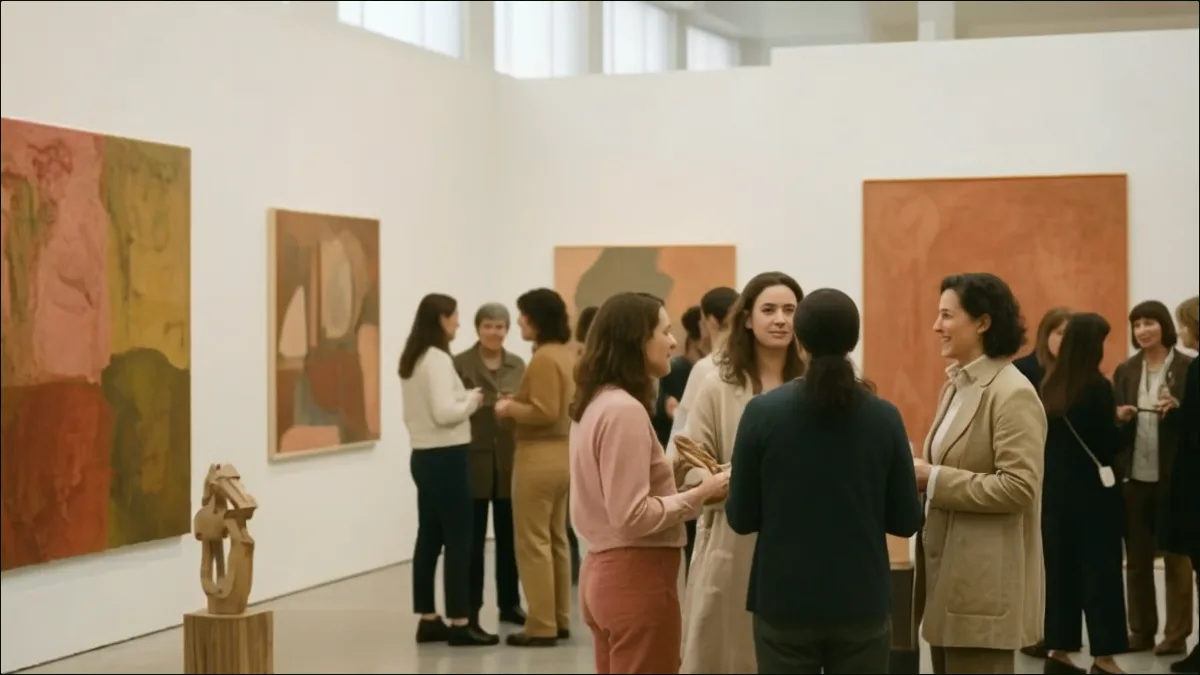 Group exhibition opening with artists and collectors at gallery reception
A domain, hosting, a template, and a weekend of setup, all before a single image goes up. That's the standard entry price for an artist website, and for a lot of artists it buys something that then sits untouched for three years because updating it is its own small project.
There's a second path, which is to use a profile platform as your public presence instead. You give up custom design and gain a CV that stays current, a portfolio you can update from a phone, and applications that pull from both. This guide covers when that trade is worth making, when it isn't, and how Artsume fits either way.
Quick Answer
- Artsume provides a free professional artist profile that works like a portfolio website
- You get automatic CV generation, portfolio hosting, and application management
- No domain fees, hosting costs, or technical setup required
- It's free forever for artists - no premium tiers, no hidden costs
The Problem with Traditional Artist Websites
Cost Adds Up
A typical artist website costs $150-500+ per year:
| Expense | Annual Cost |
|---|---|
| Domain registration | $15-30 |
| Web hosting | $60-200 |
| Premium template | $50-100 (one-time, but updates cost) |
| SSL certificate | Often included, sometimes $50+ |
| Plugin/app fees | $0-200 |
| Total | $125-530+/year |
Over a 10-year career, that's $1,250-5,300 just to maintain a basic online presence.
For emerging artists especially, this cost is significant. That money could fund materials, documentation, or application fees for the opportunities that advance your career.
Technical Hassle
Even the "easy" builders ask for more than they advertise. You choose and configure a template, optimize every image for web, keep up with updates and security patches, troubleshoot when something breaks, redesign every few years so the site doesn't look dated, chase mobile layout bugs, and learn enough SEO to be found at all.
None of that is why you became an artist. It's also a comparison worth making honestly rather than in the abstract, and the guide to artist portfolio websites walks through what each platform actually costs in money and hours.
The Learning Curve
Every platform has its quirks:
- Squarespace, Wix, WordPress, Cargo - all different interfaces
- Hours learning where settings are
- Tutorials to understand basic functions
- Updates that change how things work
Time spent learning website management is time not spent in the studio.
The CV Problem
Traditional websites don't generate CVs. You maintain your website AND separately maintain a CV document, often with the same information in two places.
The typical workflow:
- Add exhibition to website
- Remember to update Word document
- Reformat when adding new entries
- Export to PDF
- Hope the versions match
When you need to send a CV, you hope the Word doc version matches your website. It often doesn't.
Limited Functionality
Most portfolio sites just display work. They don't help you apply to opportunities, track what you've submitted, generate formatted documents, or connect with organizations looking for artists.
So you end up with a website, plus a CV document, plus a spreadsheet of applications, plus accounts on two or three submission platforms. Information scattered across systems, none of which know about each other.
What Artsume Offers Instead
Professional Artist Profile
Your Artsume profile serves as a portfolio website:
Portfolio display: Upload images and video with titles, dates, dimensions, and descriptions. Work is presented in a clean, gallery-style format designed for artwork, not a generic file grid.
Artist statement: Add your statement and it appears professionally formatted on your profile. Write once, available everywhere you need it.
About: One paragraph about who you are and what you do, up to 2,000 characters. It sits on your profile and opens your CV download, so you write it once.
Contact information: Galleries and curators can reach you easily. You control what's visible.
Public URL: Share your profile with anyone using a simple link. No complicated URLs or requiring people to navigate your site.
What you can and can't control in that presentation is covered in the portfolio product page, and the practical setup steps are in the docs on building your portfolio.
Automatic CV Generation
This is where Artsume differs fundamentally from portfolio websites.
As you add information to your profile, Artsume formats it into a CV following CAA (College Art Association) standards. Add an entry, download a fresh PDF, and the document is current. There's no second file to remember and no reformatting pass.
The mechanics of that, plus what belongs in each section, are in the guide to the free artist CV maker and on the CV builder page.
Apply to Opportunities
Unlike static websites, Artsume connects you to opportunities:
Browse listings: Find grants, residencies, exhibitions, and more on the opportunities page.
Apply with your profile: Instead of filling out forms from scratch, apply using your saved CV and portfolio. Organizations see your professional presentation.
Track applications: See what you've applied to and application statuses, including the ones you submitted elsewhere, in the application tracker.
No platform fees: Applying is free for artists - always. Organizations may set their own application fees, but Artsume doesn't charge you to apply.
If you're currently submitting through SlideRoom or Submittable, the platform comparison guide covers how those differ from applying with a saved profile.
Everything Stays in Sync
The real power is integration. Your portfolio, CV, artist statement, and application materials all come from the same source. Update once, everything updates.
What this means practically:
- Add a new exhibition → CV updates, portfolio stays current, applications have latest info
- Update your statement → Profile reflects it, application materials include it
- Upload new work → Available for your public portfolio and applications
No more managing information across multiple systems.
Artsume vs. Traditional Website Builders
Feature Comparison
| Feature | Squarespace/[Wix](https://www.wix.com/)/etc. | Artsume |
|---|---|---|
| Annual Cost | $150-500+ | Free |
| Portfolio Display | ||
| Custom Domain | Profile URL (artsume.com/a/you) | |
| CV Generation | ||
| Apply to Opportunities | ||
| Technical Setup | Required | None |
| Design Maintenance | Required | None |
| Art-Specific Features | Limited | Yes |
| Mobile Responsive | ||
| Application Tracking | ||
| Learning Curve | Moderate | Minimal |
When to Use Artsume Alone
Artsume is sufficient as your primary online presence if:
- You want a professional portfolio without costs or technical hassle
- You primarily need to share work with galleries, grants, and opportunities
- You value CV generation and application features
- You don't need extensive blogging or custom design
- You want your materials in one integrated system
- You're an emerging artist managing costs carefully
Many artists use only Artsume and find it meets all their needs. The combination of portfolio, CV generator, and application platform covers most professional requirements.
When to Use Both
Some artists run a traditional website alongside their profile. The website carries extensive project documentation, writing, commercial sales, and whatever custom branding matters to them; the profile carries the CV, the applications, and the link they hand out.
If that's your setup, link the two so neither goes stale. Point your website at your profile for the current CV, apply through the profile even though the website exists, and keep the portfolio selection roughly aligned in both places.
How Artists Use Artsume
Most people fall into one of a few patterns.
Some make the profile their whole public presence: fill in the CV entries, portfolio works, statement, and About, then hand out the profile URL to galleries, curators, and anyone who asks, apply to grants and residencies with it, and add new work and shows as they happen. That's the full-replacement case, and it's what the intro is describing.
Others keep their own website and use the profile as an application engine. Entries go in as they happen, so there's never a scramble before a deadline; the PDF is current whenever someone asks for a CV; and applications go out with a saved profile rather than a re-uploaded folder. That's the pattern for anyone running a serious residency application season, where the same materials go out ten or twenty times with different framing. A few use it almost entirely as a CV tool, generating the formatted PDF to fill in forms on other platforms.
And there's the simplest use of all, which is having one link to send. "Here's my portfolio: artsume.com/a/yourname" answers a gallery inquiry, a grant reviewer's follow-up, a curator's research request, and a studio visit prep email, with no login required on the other end. The docs on sharing your profile cover what that link shows and what stays private.
Michelle Beattie describes picking that route in her interview, on the grounds that she would rather make work than keep a website current.
Setting Up Your Artsume Profile
Getting started takes about 30-60 minutes:
1. Create Your Account
Sign up for free. No credit card required, no trial period.
2. Add Your Basic Information
- Display name (as you want it shown professionally)
- Location (city, state/country)
- Profile photo (professional headshot recommended)
- Contact information (email, website if you have one)
3. Write Your Artist Statement
Add your statement and it's ready for both display and applications. Not sure how to write one? See our artist statement guide.
4. Build Your CV
Add entries for:
- Education (degrees, significant training)
- Solo exhibitions
- Group exhibitions
- Awards and grants
- Residencies
- Publications
- Collections
- Teaching
- Related experience
Each entry is saved and formatted automatically. See our CV guide for what to include.
5. Upload Portfolio Works
Add images with title, year, medium, dimensions, and an optional description, then group them into collections or series if that helps the work read. Which pieces you include, and in what order, matters more than how many you upload: start with how to build an artist portfolio and the portfolio best practices guide.
6. Download Your CV
Generate a PDF version anytime from the latest entries you maintain, formatted to professional standards.
7. Share Your Profile
Use your profile URL to share with anyone who wants to see your work. No login required for viewers.
What About Custom Domains?
Artsume profiles use URLs like artsume.com/a/yourname. If having a custom domain (yourname.com) is important to you, consider:
Option 1: Use Artsume as-is
Most professionals understand shared platform URLs (like LinkedIn profiles). The benefits, free hosting and an integrated CV and applications, often outweigh custom domain branding. Curators and galleries won't judge you for using a professional platform.
Option 2: Redirect from custom domain
Purchase a domain and set it to redirect to your Artsume profile. You own the domain for branding (business cards, email) but it forwards to Artsume. Cost: just the domain ($15-30/year).
Option 3: Maintain both
Simple website at your custom domain for branding and extensive content; Artsume for CV, applications, and professional tools.
For most artists, especially emerging and mid-career artists, the free complete features outweigh custom domain concerns.
Privacy and Control
You control what appears: Hide any individual work from your public profile.
You own your work: Artsume doesn't claim rights to your images or content. Your intellectual property remains yours.
Export anytime: Download your CV as PDF. Your data isn't locked in.
No ads: Your profile displays your work, not advertisements.
Secure platform: Standard security practices protect your account and data.
Who Benefits Most from Artsume
Early in a career, the case is mostly financial: you save hundreds of dollars a year, build the CV as the career develops, and get access to opportunities without paying for a website first. The guide to finding art opportunities pairs well with that stage, since the constraint then is usually knowing where to look rather than what to submit.
Mid-career, the case is administrative. When you're running ten or twenty applications a year, a maintained CV and a record of what went out where save more time than any design decision.
And for anyone who has spent a weekend fighting a plugin update instead of working, the argument is simply that the hosting, patching, and redesign cycle stops being your problem.
Frequently Asked Questions
Is Artsume really free?
Yes. Artsume is completely free for artists: no subscription fees, no premium tiers, no per-application charges. You can create your profile, generate your CV, apply to unlimited opportunities, and use all artist features without paying anything.
How does Artsume make money if it's free for artists?
Artsume charges organizations (galleries, residencies, grant programs) for advanced features. Artists use the platform free; organizations with higher-volume needs can pay for premium features. This model keeps artist tools free while sustaining the platform.
Can I use Artsume instead of a website?
Yes. Many artists use Artsume as their primary online presence. You get a professional profile, portfolio display, CV generation, and application management, all features you'd otherwise need a website plus separate tools to achieve. It's sufficient for most artists' needs.
What if I already have a website?
Artsume complements existing websites. Use it for CV generation, application management, and as a quick-share portfolio link. Many artists with websites still use Artsume for its unique features. You don't have to choose one or the other.
Can I get a custom domain with Artsume?
Artsume profiles use URLs like artsume.com/a/yourname. While custom domains aren't built-in, you can set up a redirect from your own domain to your Artsume profile if custom branding is important to you.
How does the CV generator work?
As you add entries to your profile (education, exhibitions, awards, etc.), Artsume automatically formats them into a professional CV following CAA standards. You can download your CV as a PDF anytime from the entries you maintain.
What file formats can I upload for my portfolio?
Artsume supports common image formats (JPEG, PNG) and video. Files are optimized for web viewing while maintaining quality. For specific file size limits and specifications, check the upload interface in your account.
Can galleries and curators contact me through Artsume?
Yes. Your profile includes contact information you choose to display. Galleries, curators, and organizations can reach you directly. You control what contact information is visible.
How long does it take to set up a profile?
Most artists complete their profile in 30-60 minutes. If you have your CV information ready, it goes faster. You can also build gradually. Add the basics first, then expand over time.
Can I keep works hidden while I'm setting up?
Yes. Your profile page is public at your handle, but you can add works and keep individual pieces hidden until you're ready to show them.
What happens to my profile if Artsume changes?
Your CV is downloadable as PDF anytime. Your information isn't locked in. If anything changes, you'll have your formatted CV and can export your portfolio images.
Get Started
Setting up a profile takes about half an hour and gives you a portfolio display, a downloadable CV, a formatted artist statement, access to open opportunities, application tracking, and one link to send anyone who asks. No domain fees, no hosting bill, no template to configure.
If you already have a website you like, keep it. Add the profile for the parts a website was never going to do, which are the CV and the applications, and let the two point at each other.
Build your artist CV
Create a professional, CAA-formatted artist CV with Artsume's free builder.